

Location: Home > Apps > Video_music > All video player

All Video Player (Premium Unlocked, Ads Removed, All Codecs Unlocked, Background Play Unlocked, Casting Unlocked) Download for Android

All Video Player icon

All Video Player Premium Unlocked, Ads Removed, All Codecs Unlocked, Background Play Unlocked, Casting Unlocked

5.0
v1.60.8.1 for Android
Fast Download:Download this app by playmods App with faster speed.

All Video Player MOD Info MOD Info :
Premium Unlocked, Ads Removed, All Codecs Unlocked, Background Play Unlocked, Casting Unlocked

Screenshots

Description

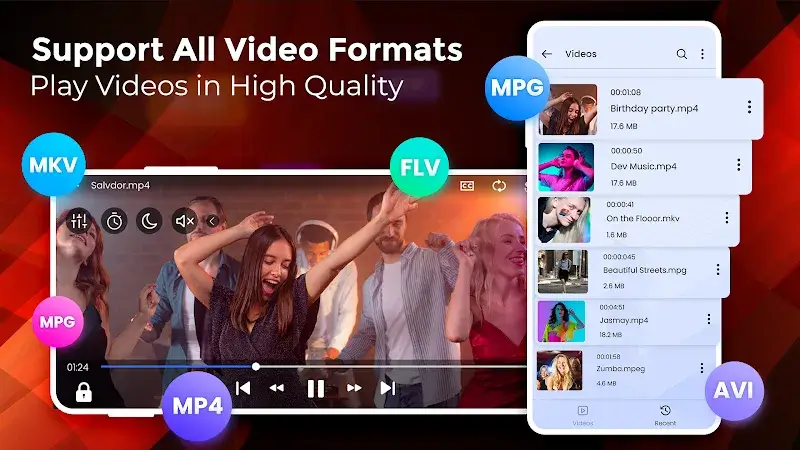
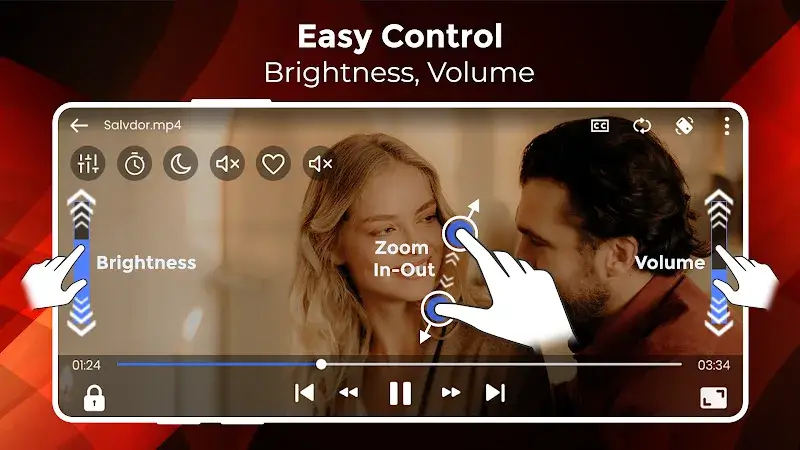
All Video Player Mod is a universal media playback application for Android. It is designed for users who need a single, lightweight player capable of handling a wide range of video and audio codecs without requiring external plugins or converters. The app targets a general audience, from casual viewers to users with diverse media libraries, operating within the crowded video player utility category.

What This Mod Unlocks

  • Premium subscription features are fully unlocked and activated.
  • All advertisements within the app have been removed.
  • Premium codec support and hardware acceleration options are available.
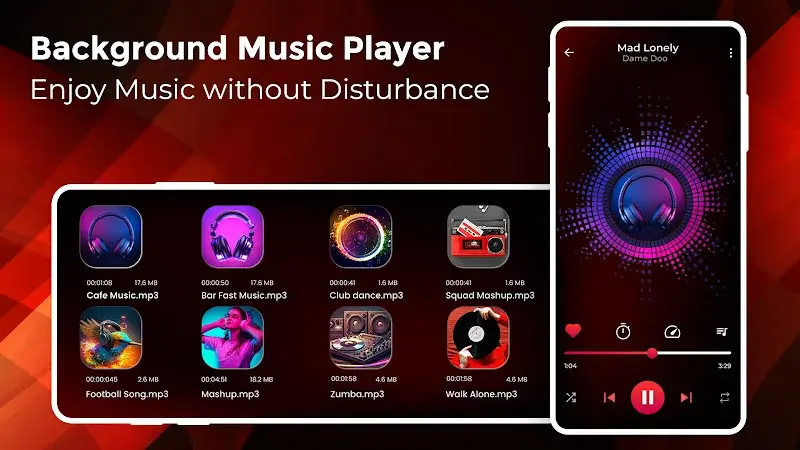
  • Background playback and audio-only mode restrictions are lifted.
  • Video casting and network streaming premium features are enabled.

The mod is applied directly to the APK. Upon launching All Video Player Mod, the premium status is active by default. No activation codes, mod menus, or special taps are required. The interface will reflect the unlocked state, typically by the absence of upgrade prompts and ads.

All Video Player Mod requires Android 8.0 or higher. Installation requires approximately 25-30 MB of storage space. Root access is not required for installation or functionality.

Installation Steps

  1. Download the modified All Video Player Mod APK file.
  2. Enable "Install from Unknown Sources" for your browser or file manager in Android settings.
  3. Navigate to the downloaded file and tap to begin installation.
  4. If Google Play Protect warns, select "Install anyway" or temporarily disable Play Protect.
  5. Launch All Video Player Mod after installation completes.

Known Edge Cases

  • If the app data is cleared, the premium unlock persists as it is baked into the APK.
  • Some cloud-based casting features may still require a valid server connection from the developer's end.
  • On devices with heavily customized Android skins (e.g., some Xiaomi, Huawei), the installation process may require additional confirmation prompts.
  • The mod is designed for version v1.60.8.1; downgrading or upgrading may break the unlock.

Editor's review

This mod for All Video Player Mod v1.60.8.1 delivers the claimed premium unlock without requiring root access.

  • Premium badge is present and functional within the app settings.
  • Video playback proceeds without any interstitial or banner advertisements.
  • Advanced settings like hardware acceleration and background audio playback are accessible.
  • The unlock is tied to the specific APK version; auto-updates via Google Play will revert to the official version.
  • On first launch, a brief connection check to validate premium status may cause a slight delay.

Tested on Android 12 and 13. The mod functions as described for the specified version.

Functional.

Frequently Asked Questions

¿Es seguro instalar este APK modificado de All Video Player?

El APK modificado no solicita permisos peligrosos más allá de los que requiere la aplicación oficial (almacenamiento para acceder a videos). No requiere acceso a SMS, registro de llamadas o contactos, y no necesita root en Android 8.0 o superior.

¿Este mod requiere acceso root?

No, no requiere root. El proceso estándar de instalación lateral funciona: descargar el APK, habilitar "Instalar desde fuentes desconocidas" para el administrador de archivos, y proceder con la instalación.

¿Cuáles son los pasos para instalar All Video Player Mod?

1. Descarga el archivo APK. 2. En Ajustes de Android, habilita "Instalar desde fuentes desconocidas" para tu navegador o administrador de archivos. 3. Abre el archivo descargado y toca Instalar. 4. Si aparece una advertencia de Play Protect, selecciona "Instalar de todos modos".

¿Qué característica premium específica desbloquea este mod?

El mod desbloquea permanentemente la suscripción Premium. Esto elimina todos los anuncios y habilita funciones como la reproducción en segundo plano, el modo solo audio y el soporte para todos los códecs de video, que están restringidos en la versión oficial gratuita.

¿Existe riesgo de prohibición de cuenta o pérdida de datos?

Para el uso local de reproducción de archivos almacenados, el riesgo es mínimo. Sin embargo, cualquier función que requiera autenticación con los servidores del desarrollador, como el acceso a contenido en la nube o el casting, podría ser detectada y resultar en la revocación del acceso a esas funciones en línea.

Safety note

Install only APKs matching com.bpva.video.player.free at version v1.60.8.1. Download from official links on this page to reduce tampering risk.

Additional Information

Category: video_music Publish Date: Mon, Jan 12, 2026

Scan QR code and download playmods app
Download
PlayMods APP