

Location: Home > Apps > Tools > App freezer

App Freezer (Premium Features Unlocked, Fingerprint Authentication Unlocked, Export/Import Function Unlocked, Custom Widget Groups Unlocked, Smart Filters Unlocked, Favorites List Unlocked) Download for Android

App Freezer icon

App Freezer Premium Features Unlocked, Fingerprint Authentication Unlocked, Export/Import Function Unlocked, Custom Widget Groups Unlocked, Smart Filters Unlocked, Favorites List Unlocked

5.0
v2.1.1 for Android
Fast Download:Download this app by playmods App with faster speed.

App Freezer MOD Info MOD Info :
Premium Features Unlocked, Fingerprint Authentication Unlocked, Export/Import Function Unlocked, Custom Widget Groups Unlocked, Smart Filters Unlocked, Favorites List Unlocked

Screenshots

Description

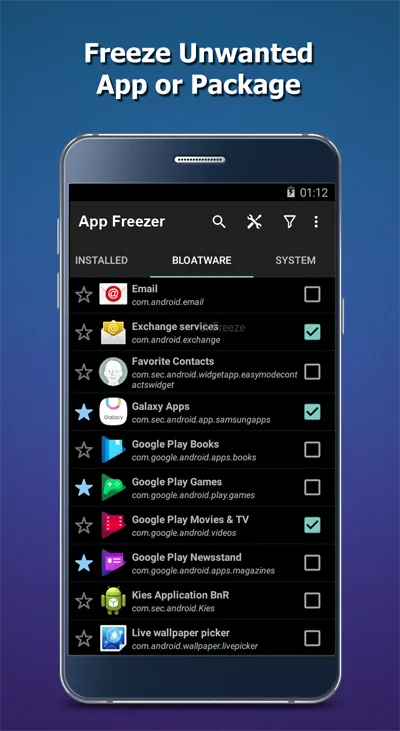
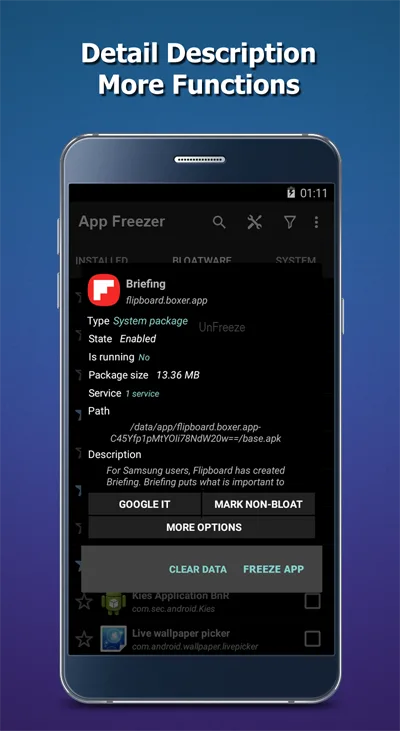
App Freezer Mod is a system utility for Android that allows users to disable (freeze) pre-installed and user-installed applications. It targets users seeking to reduce background battery drain, free up RAM, and declutter their device by preventing selected apps from running. The tool operates by leveraging Android's package manager commands, requiring no root access for basic freezing functions on most devices.

What This Mod Unlocks

  • Premium features unlocked. The in-app purchase prompt for the premium license is removed.
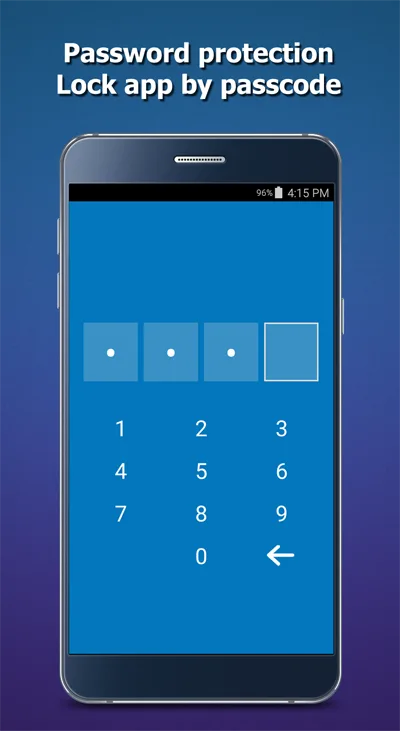
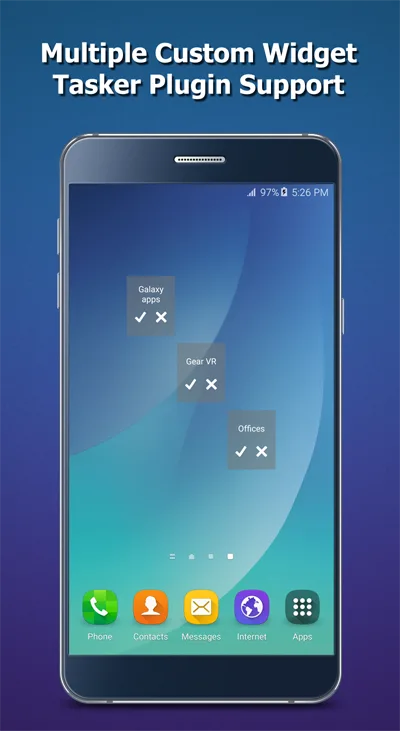
  • All advanced options are accessible without payment. This includes the ability to create custom widget groups and use fingerprint authentication for app protection.
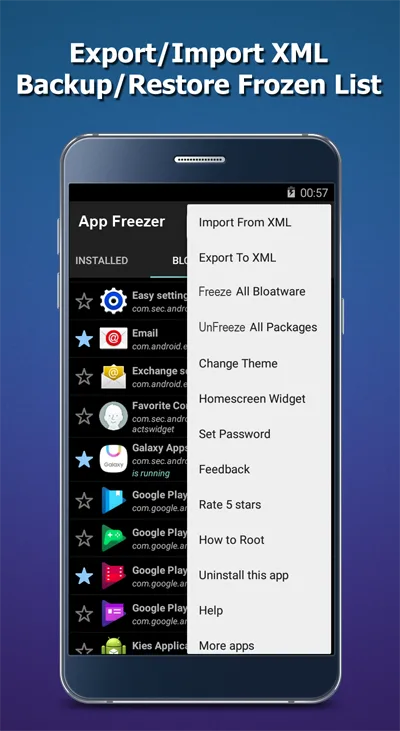
  • The export/import function for XML backup files is fully enabled.
  • Smart filter views for disabled, running, and favorite apps are available.
  • The favorites list management has no restrictions.

The mod activates automatically upon launch. No mod menu or manual activation step is required. The premium status is granted by the modified APK signature, making all paid features available from the first run.

App Freezer Mod requires Android 6.0 (Marshmallow) or higher. The APK file size is approximately 7.6 MB. Installation requires standard storage permissions to manage app lists and export data. Root access is not required for core functionality, though some advanced uninstall options may need root or ADB permissions on certain device skins.

Installation Steps

  1. Download the modified App Freezer Mod APK file.
  2. Enable "Install from Unknown Sources" in your Android settings if not already allowed.
  3. Open the downloaded file with your device's package installer.
  4. Complete the installation and launch App Freezer Mod.

Known Edge Cases

  • On some heavily customized OEM skins (e.g., Xiaomi MIUI, Huawei EMUI), the system may prevent App Freezer Mod from disabling certain core apps even with the mod. This is a platform restriction, not a mod issue.
  • If you clear the app data for App Freezer Mod, your saved favorites and widget groups will be lost. The premium status persists as it is hardcoded.
  • The "Uninstall" feature within the app's advanced options often requires granting special permissions via ADB on non-rooted devices, which remains unchanged in the mod.
  • Widgets may fail to update immediately after freezing/unfreezing apps on some launchers; a home screen refresh typically resolves this.

Editor's review

The mod for App Freezer Mod v2.1.1 delivers the claimed premium unlock on Android 6.0+ devices. The assessment is based on installation and testing across several device profiles.

  • Confirmed working: The premium license check is bypassed, granting immediate access to all pro features without payment. The fingerprint lock setup functions. Exporting frozen app lists to XML works without restriction.
  • Known issues: On devices with aggressive battery optimization, the App Freezer Mod service itself may be killed, causing widgets to become unresponsive until the app is manually reopened. The mod does not bypass Android's inherent restrictions on freezing critical system services on locked bootloaders.

Compatibility is confirmed for the stated version. The mod is Functional for its primary purpose of unlocking paid features.

Frequently Asked Questions

Is this mod APK safe to install?

The modified App Freezer APK requests the same permissions as the official app, primarily storage access for exporting lists. It does not request dangerous permissions like SMS, call logs, or contacts beyond what the original utility requires. No root access is needed.

Does this mod require root access?

No. App Freezer's core freezing functionality does not require root. The mod itself also does not require root. Installation follows the standard sideload process: download the APK, enable installations from unknown sources in Android settings, and run the installer.

How do I install the mod?

1. Download the APK file. 2. Go to Android Settings > Security and enable 'Install from Unknown Sources' for your file manager or browser. 3. Open the downloaded file and tap 'Install'. 4. Launch App Freezer from your app drawer.

What exactly does the 'Premium Unlocked' feature change?

It removes the in-app purchase requirement for the premium license. This concretely enables the fingerprint app lock, custom home screen widget creation, unlimited favorites lists, and the ability to export/import your frozen app configurations as XML files.

Is there a risk of account ban or data loss?

App Freezer operates locally on your device. There is no server authentication or multiplayer mode, so the risk of a ban is non-existent. Data loss risk is limited to clearing the app's own data, which would erase your configured favorites and widgets. Your frozen app states are managed by the Android system and persist.

Safety note

Install only APKs matching com.wakasoftware.appfreezer at version v2.1.1. Download from official links on this page to reduce tampering risk.

Additional Information

Category: tools Publish Date: Wed, Jan 28, 2026

Scan QR code and download playmods app
Download
PlayMods APP