
Location: Home > Apps > Family > Kids screen timer

Kids Screen Timer (Premium Features Unlocked, Ads Disabled, In-App Purchases Free, Advanced Scheduling Unlocked, System UI Block Enabled) Download for Android

Kids Screen Timer icon

Kids Screen Timer Premium Features Unlocked, Ads Disabled, In-App Purchases Free, Advanced Scheduling Unlocked, System UI Block Enabled

0.0
v1.0.7 for Android
Fast Download:Download this app by playmods App with faster speed.

Kids Screen Timer MOD Info MOD Info :
Premium Features Unlocked, Ads Disabled, In-App Purchases Free, Advanced Scheduling Unlocked, System UI Block Enabled

Screenshots

Description

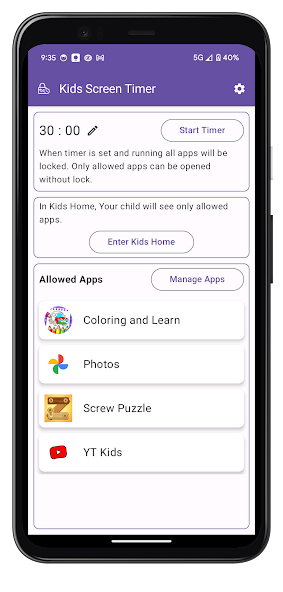
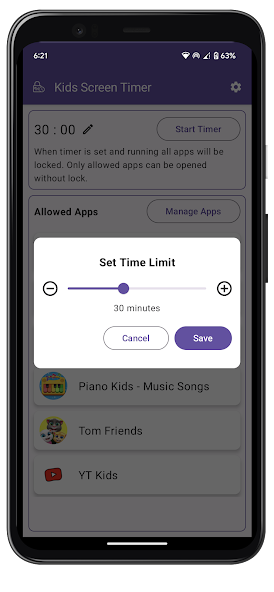
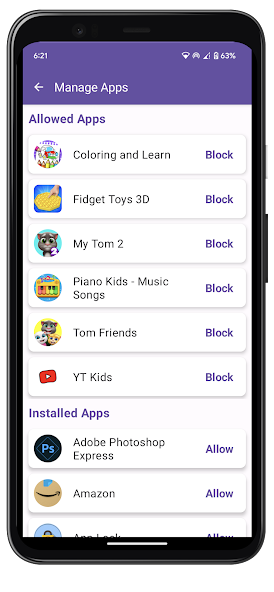
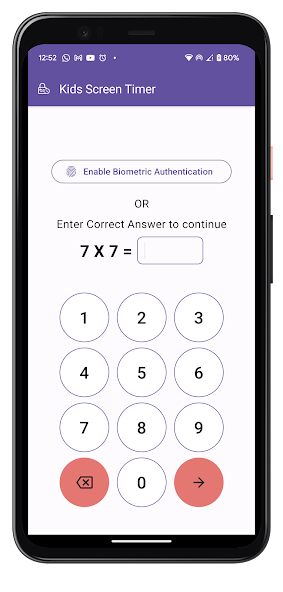
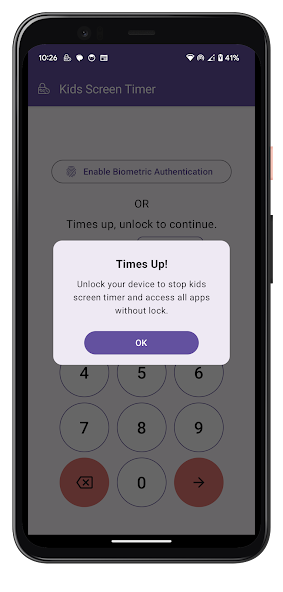
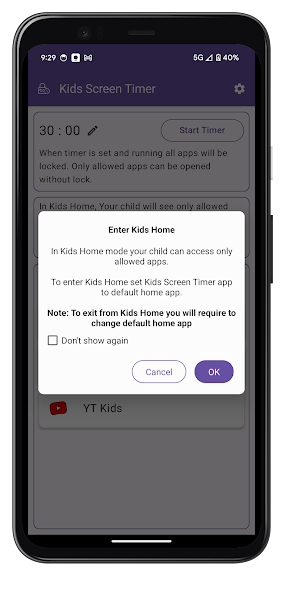
Kids Screen Timer Mod is a parental control utility designed to manage a child's device usage. It functions by allowing a parent to select specific applications for access, set a daily or session-based time limit, and then lock the device interface. When the timer expires, access to the permitted apps is blocked. This app is for parents seeking to enforce screen time rules without constant manual intervention.

What This Mod Unlocks

  • Premium subscription features are unlocked without requiring payment.
  • All advanced scheduling options, such as custom daily limits and bedtime blocks, are available.
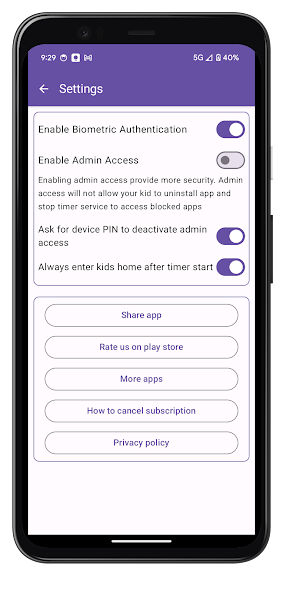
  • The ability to block system settings and the notification panel during a timer session is enabled.
  • Ads within the parental control interface are removed.
  • In-app purchase prompts are disabled.

To activate the modded features, simply launch Kids Screen Timer Mod after installation. The premium options, previously locked behind a subscription paywall, will be immediately accessible in the app's settings menu. No extra steps or mod menu are required.

Kids Screen Timer Mod requires Android 6.0 or higher. The installation file is approximately 6 MB, with additional storage needed for app data. Root access is not required.

Installation involves three steps. First, download the mod APK file. Second, enable installation from unknown sources in your device's security settings. Third, locate the downloaded file using a file manager and tap to install.

Known edge cases exist. The mod functions entirely offline, so there is no risk of server-side detection. However, clearing the app's data through device settings will reset all configured timers and app lists. On some heavily customized Android skins, the overlay used to block the system UI may not function perfectly, allowing a child to bypass the lock.

Editor's review

This mod for Kids Screen Timer Mod version 1.0.7 delivers the claimed premium feature unlock on Android 6.0+ devices.

  • Confirmed working: The premium settings panel is fully accessible, allowing the creation of complex daily schedules.
  • Confirmed working: The "Block System Settings" toggle functions, preventing access to the Android settings menu during a locked session.
  • Confirmed working: No advertisements load within the parent configuration interface.
  • Known issue: The app's configured rules and timer data are stored locally and will be lost if the app data is cleared.
  • Known issue: The overlay lock may fail on certain devices with aggressive battery optimization, requiring the app to be excluded from such lists.

The mod was tested on the stated version and requires the standard Android 6.0+ runtime.

Functional.

Frequently Asked Questions

¿Es seguro instalar este mod APK de Kids Screen Timer?

Sí, este APK mod no solicita permisos peligrosos más allá de los que requiere la aplicación oficial para funcionar, como el permiso de accesibilidad para bloquear la pantalla. No requiere acceso a SMS, registros de llamadas o contactos.

¿Kids Screen Timer Mod necesita acceso root?

No, no se requiere acceso root. El proceso de instalación es el estándar para aplicaciones sideloaded: descargar el archivo APK, habilitar "Orígenes desconocidos" en los ajustes de seguridad de Android y proceder con la instalación.

¿Cómo instalo Kids Screen Timer Mod paso a paso?

Primero, descarga el archivo APK. Segundo, ve a Ajustes > Seguridad en tu dispositivo Android y activa "Instalar aplicaciones de origen desconocido" para tu gestor de archivos. Tercero, abre el archivo descargado y toca "Instalar".

¿Cuál es la característica principal que desbloquea este mod?

La característica principal es el desbloqueo completo de las funciones Premium. En la versión oficial, opciones como programación avanzada y bloqueo de ajustes del sistema requieren una suscripción de pago; en este mod están disponibles inmediatamente.

¿Existe riesgo de prohibición de cuenta o pérdida de datos con este mod?

El riesgo es mínimo, ya que Kids Screen Timer funciona offline. No hay autenticación de servidor ni modo multijugador donde se pueda detectar la modificación. La única pérdida de datos posible es si se borran los datos de la aplicación, lo que elimina los temporizadores configurados.

Safety note

Install only APKs matching com.map.kidsscreentimer at version v1.0.7. Download from official links on this page to reduce tampering risk.

Additional Information

Category: family Publish Date: Thu, Apr 18, 2024

Scan QR code and download playmods app
Download
PlayMods APP