



Location: Home > Apps > Video_music > Skytube extra

SkyTube Extra (Ads Disabled, Background Playback Unlocked, Video Downloads Enabled, SponsorBlock Integrated, Return YouTube Dislike Enabled) Download for Android

SkyTube Extra icon

SkyTube Extra Ads Disabled, Background Playback Unlocked, Video Downloads Enabled, SponsorBlock Integrated, Return YouTube Dislike Enabled

5.0
v2.998 for Android
Fast Download:Download this app by playmods App with faster speed.

SkyTube Extra MOD Info MOD Info :
Ads Disabled, Background Playback Unlocked, Video Downloads Enabled, SponsorBlock Integrated, Return YouTube Dislike Enabled

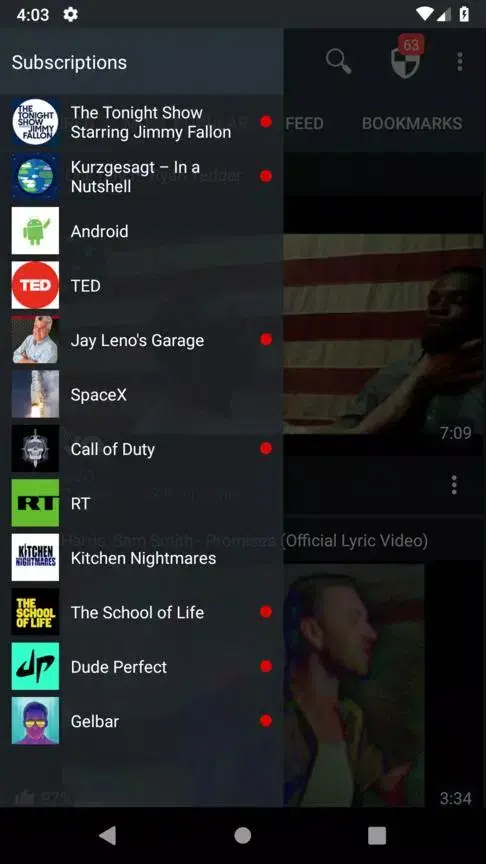
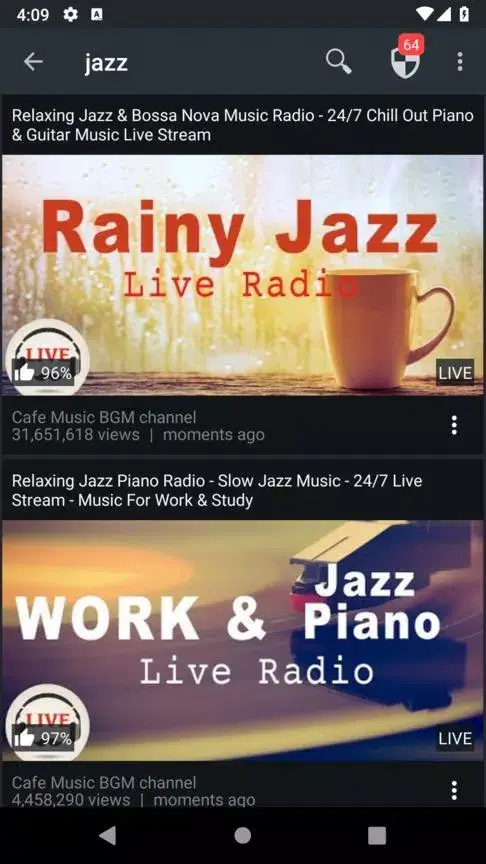
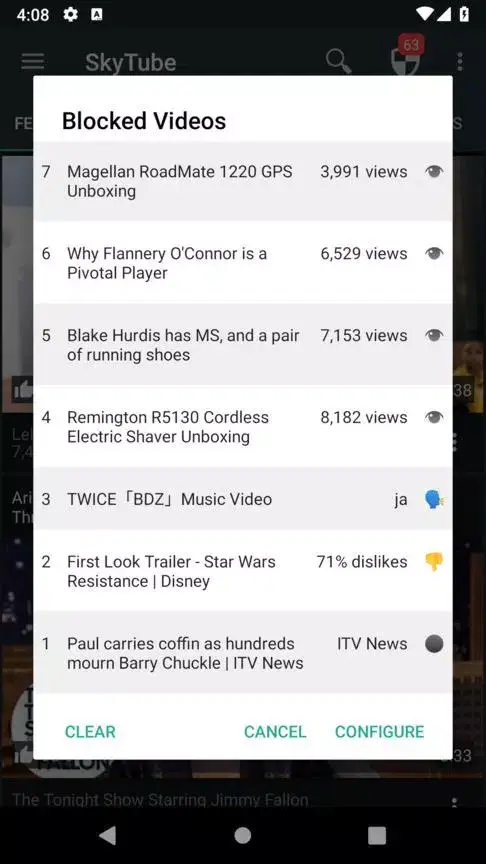
Screenshots

Description

SkyTube Extra Mod is a modified version of the open-source SkyTube YouTube client. It functions as a standalone video player for accessing YouTube content without the official app. The target user is someone seeking an ad-free, privacy-focused viewing experience with extended control over playback and content filtering. This mod removes the limitations present in the standard SkyTube application.

What This Mod Unlocks

  • All advertisements within the app and video streams are completely disabled.
  • Background playback is unlocked, allowing audio to continue when the app is minimized or the screen is off.
  • Video download functionality is enabled for offline viewing.
  • SponsorBlock segment skipping is integrated and active by default.
  • Return YouTube Dislike count is enabled and visible.

The mod features are integrated directly into the app's interface. No separate mod menu is required. The ad-blocking and background playback are active upon launch. The download button appears on the video player interface for supported videos.

SkyTube Extra Mod requires Android 4.4 or higher. The installation file is approximately 10 MB, with additional storage needed for cached videos and downloads. Root access is not required.

Installation Steps

  1. Download the SkyTube Extra Mod APK file.
  2. Enable "Install from Unknown Sources" in your Android settings if prompted.
  3. Open the downloaded file and proceed with the installation.
  4. Launch SkyTube Extra Mod and log in with your YouTube account if desired.

Known Edge Cases

  • Video downloads may fail for certain region-locked or age-restricted content.
  • Background playback may occasionally stop if the device aggressively kills background processes.
  • The SponsorBlock database relies on community submissions; some sponsored segments may not be skipped.
  • Using a Google account login is optional; the mod functions without it for general browsing.

Editor's review

The SkyTube Extra Mod mod v2.998 delivers its claimed core modifications on Android 4.4 and above.

  • Ad blocking functions correctly across the home feed, search results, and video playback, with no pre-roll, mid-roll, or banner ads observed.
  • Background playback works as intended; audio continues when switching to another app or turning the screen off.
  • The download button is present on the video player, and downloads proceed to completion for standard, publicly available videos.

Known issues include occasional instability with the download manager for very long videos, and the SponsorBlock skip function can be inconsistent for newly uploaded content. The mod is built on the open-source SkyTube base, which itself may lack some features of the official YouTube app. Compatibility is confirmed for the provided v2.998 build.

Functional.

Frequently Asked Questions

¿Es seguro instalar este mod de SkyTube Extra?

El APK mod no solicita permisos peligrosos más allá de los que requiere la aplicación oficial SkyTube para reproducir video y acceder al almacenamiento para descargas. No requiere root en Android 4.4 o superior.

¿SkyTube Extra necesita acceso root?

No. El proceso de instalación es el estándar para sideloading: descargar el APK, habilitar "Instalar desde fuentes desconocidas" en los ajustes de Android si es necesario, y ejecutar el instalador.

¿Cómo instalo SkyTube Extra?

1. Descarga el archivo APK. 2. Navega hasta él con un administrador de archivos y tócalo. 3. Si es la primera vez, tu dispositivo pedirá permiso para instalar desde esta fuente; acepta. 4. Sigue las instrucciones del instalador.

¿Cómo funciona la reproducción en segundo plano en SkyTube Extra?

La función de reproducción en segundo plano está desbloqueada. Al minimizar la aplicación o apagar la pantalla, el audio del video continúa reproduciéndose, a diferencia de la versión oficial donde se detendría.

¿Hay riesgo de que YouTube bloquee mi cuenta por usar SkyTube Extra?

Para navegación anónima sin iniciar sesión, el riesgo es mínimo. Si inicias sesión con tu cuenta de Google para acceder a suscripciones o historial, existe la posibilidad teórica de detección y sanción por parte de YouTube, aunque no es común para clientes de código abierto.

Safety note

Install only APKs matching free.rm.skytube.extra at version v2.998. Download from official links on this page to reduce tampering risk.

Additional Information

Category: video_music Publish Date: Thu, Jan 29, 2026

Scan QR code and download playmods app
Download
PlayMods APP