

Location: Home > Apps > Video_music > Youtube client

Youtube Client (Ads Disabled, Background Play Unlocked, Video Downloader, Audio Downloader, Dislike Counter Restored, Clean Interface) Download for Android

Youtube Client icon

Youtube Client Ads Disabled, Background Play Unlocked, Video Downloader, Audio Downloader, Dislike Counter Restored, Clean Interface

4.0
v2.1.1 for Android
Fast Download:Download this app by playmods App with faster speed.

Youtube Client MOD Info MOD Info :
Ads Disabled, Background Play Unlocked, Video Downloader, Audio Downloader, Dislike Counter Restored, Clean Interface

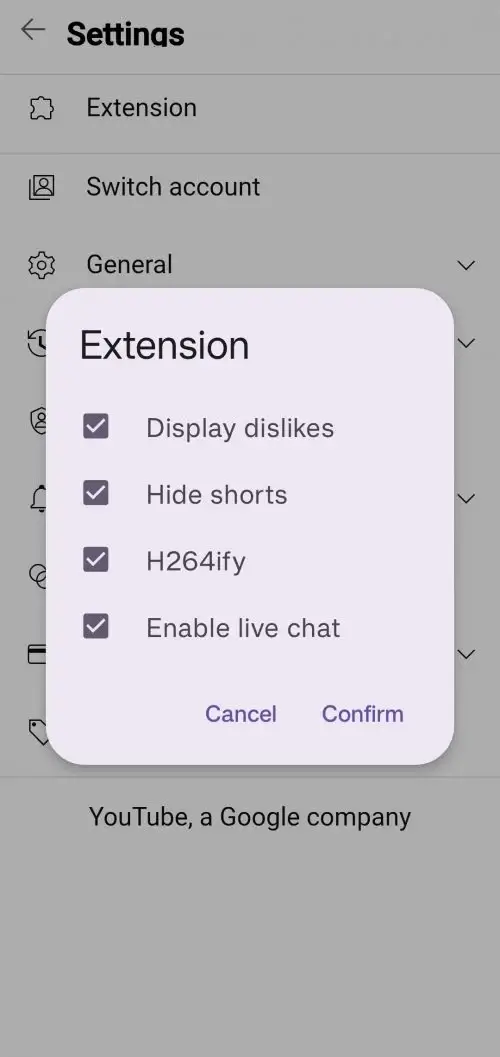
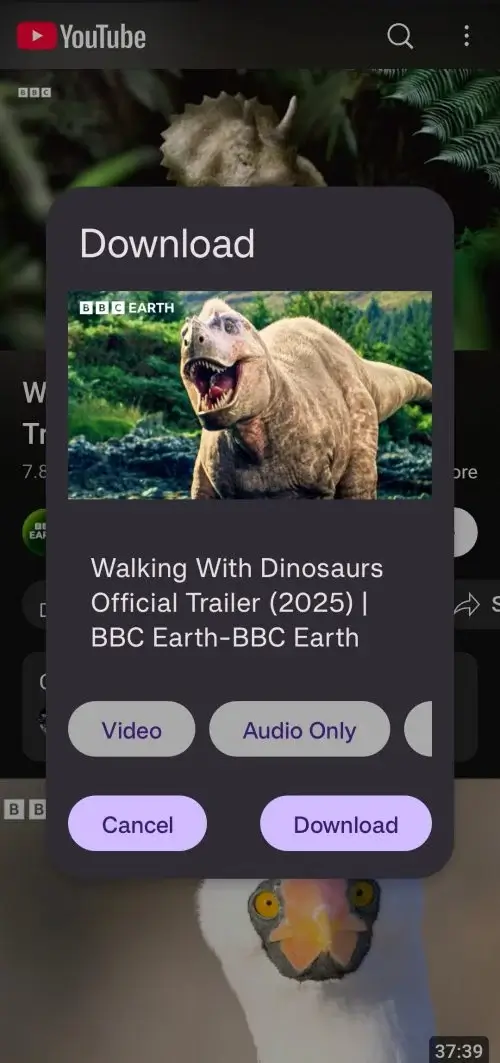
Screenshots

Description

Youtube Client Mod is a WebView wrapper application for Android that modifies the standard YouTube viewing experience. It is designed for users who require ad-free playback, background audio functionality, and local downloading capabilities without using the official YouTube app. The app operates as a lightweight client, consuming fewer system resources than the native application.

What This Mod Unlocks

  • All video and banner advertisements are blocked and removed from the stream.
  • Background playback is enabled, allowing audio to continue when the app is minimized or the screen is off.
  • Video and audio download functionality is integrated directly into the player interface.
  • The dislike counter for videos is restored and displayed.
  • The user interface is streamlined, removing promotional elements and clutter.

The mod features are active immediately upon launching Youtube Client Mod. No activation menu or specific taps are required. The ad-blocking and background play functions work by default upon starting any video.

Youtube Client Mod requires Android 8.0 or higher. The installation package is approximately 6.5 MB, with additional storage needed for cached videos and downloads. Root access is not required.

Installation Steps

  1. Download the Youtube Client Mod APK file.
  2. Enable installation from unknown sources in your device settings.
  3. Open the downloaded file and proceed with the standard installation prompts.
  4. Launch Youtube Client Mod and sign in with your Google account if desired.

Known Edge Cases

  • Some non-skippable ads in region-restricted content may still appear briefly before being blocked.
  • Downloaded video files are stored locally and may be lost if the app data is cleared.
  • Using Youtube Client Mod with a Google account in server-authenticated modes carries a risk of account restriction, as it violates YouTube's Terms of Service.
  • Playback of YouTube Premium exclusive content (e.g., YouTube Originals) is not unlocked.

Editor's review

The Youtube Client Mod mod APK version 2.1.1 delivers its core advertised modifications on Android 8.0 and above.

  • Ad blocking functions as described, removing pre-roll, mid-roll, and banner ads from the video stream.
  • Background audio playback is fully functional, allowing the app to be minimized while audio continues.
  • The built-in downloader successfully saves video and audio-only files to local device storage.

Known issues include occasional failure to block certain non-standard ad formats on region-locked videos. The mod's functionality is entirely client-side and does not bypass YouTube server-side account checks for Premium features. Downloaded content management is handled within the app and files may not be accessible by other media players without manual file movement.

Compatibility is confirmed for the stated Android version. The mod is Functional for its stated purpose of ad-free viewing, background play, and downloading.

Frequently Asked Questions

Is this Youtube Client mod APK safe to install?

The APK does not request permissions beyond those required for the official YouTube app's core functions (storage for downloads, network access). It does not ask for SMS, call log, or contact access. No root is required.

Does Youtube Client require root access?

No root access is required. Installation follows the standard sideload process: download the APK, enable 'Install from unknown sources' in Android settings, and run the installer.

How do I install Youtube Client?

1. Download the APK file. 2. Go to Android Settings > Security and enable 'Install from unknown sources'. 3. Open your file manager, tap the downloaded APK, and follow the installation prompts. 4. Launch the app.

What does the background play mod feature do?

It allows YouTube audio to continue playing when you minimize the Youtube Client app or turn off your screen, a feature typically restricted to YouTube Premium subscribers.

Is there a risk of my YouTube account being banned?

Using Youtube Client while signed into your Google account carries a risk, as it violates YouTube's Terms of Service. For minimal risk, use the app without signing in. Data loss risk is limited to locally downloaded files if the app is uninstalled.

Safety note

Install only APKs matching com.hhst.litube at version v2.1.1. Download from official links on this page to reduce tampering risk.

Additional Information

Category: video_music Publish Date: Thu, Apr 9, 2026

Scan QR code and download playmods app
Download
PlayMods APP